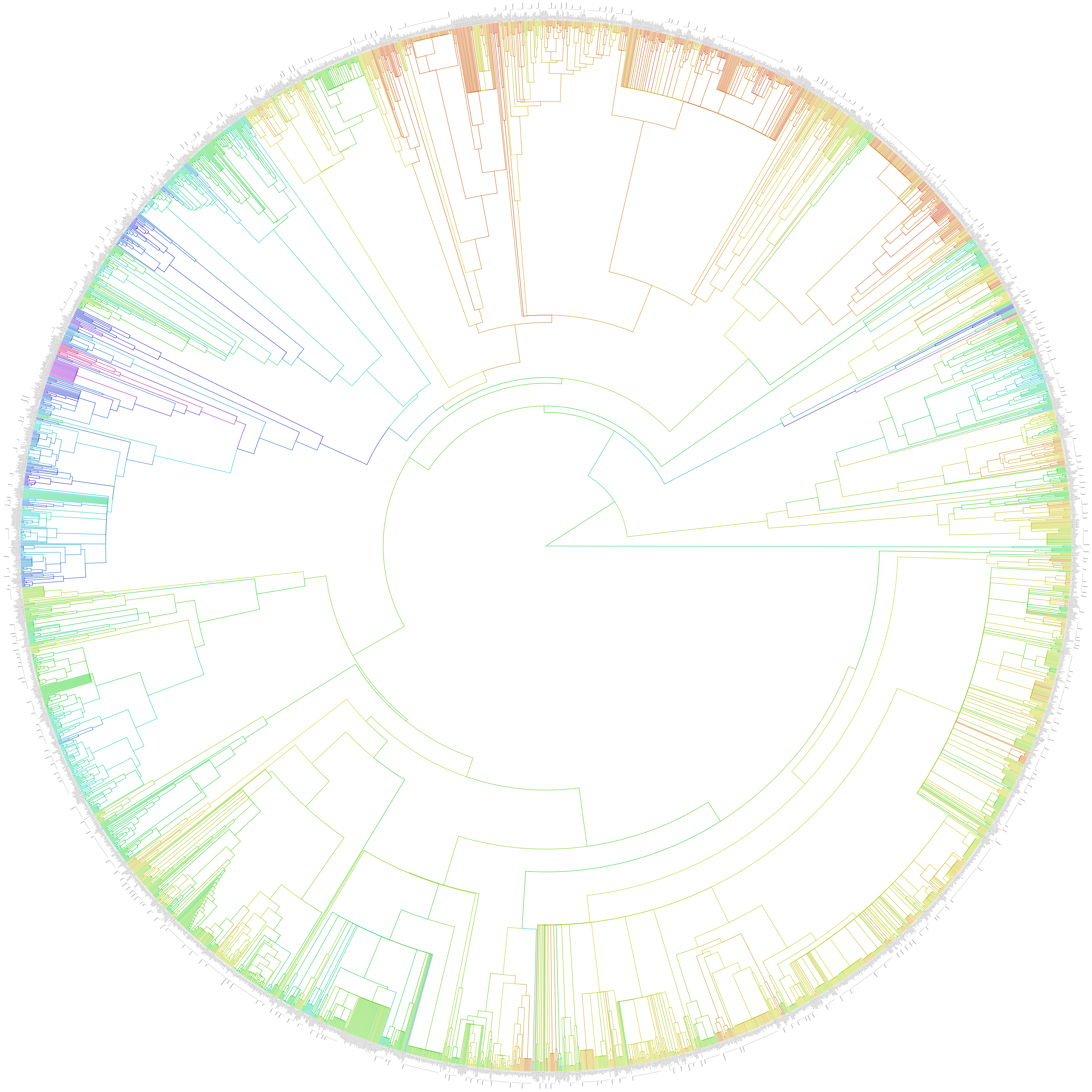
As a first step, we do an inner join of the two data sets, so that the merger only includes the taxa that are both present in the tree as well as the database. From the database, we embed one data column, which we log-transform (because the default is body mass) and transform to color values along the spectrum (i.e. the lowest observed value is red, the highest violet). In addition, we annotate the tree such that monophyletic genera receive a clade label on their MRCA node. We do all this by executing this script, like so:
perl binindaXpantheria.pl \
	--tree=Bininda-emonds_2007_mammals.nex \
	--data=PanTHERIA_1-0_WR93_Aug2008.tsv \
	--names=MSW93_Binomial \
	--column='5-1_AdultBodyMass_g' \
> tree.xml
All the arguments shown here are the default values that are also embedded in the script.
The --names argument specifies which column in the PanTHERIA database contains the
taxon names that should match those in the tree. The --column argument specifies which
trait to plot on the tree. Hence, you can experiment with other traits besides the
example given here (which is body mass), but keep in mind that the script log-transforms
the input values, which might make sense for body mass, but not necessarily for the other
traits in the database (let me know if there needs to be a switch to turn the
transformation on and off).
There is also an optional --verbose argument that can be used multiple times to increase
the verbosity of the script. By default, only warnings and error messages are printed;
by increasing this value, also informational messages and debugging messages can be
printed. (It might be reassuring to do this because some of the steps take some time and
this way you get some progress feedback.) The result of the script is normally written to
STDOUT, so here we re-direct it to a file, which is in
nexml format.
In the next step, we visualize the results as a radial phylogram with painted branches and braces to mark up the monophyletic genera. The drawer script is invoked as follows:
perl drawer.pl \
	--width=12000 \
	--height=12000 \
	--shape=radial \
	--nexml=tree.xml \
> tree.svg
Again, all the arguments shown here are the default values that are embedded in the
script. The --width and --height values are in pixels. --shape specifies the tree
shape, and --nexml the location of the file that we produced in the previous step. The
output is written to STDOUT so we re-direct into the file tree.svg. In this
SVG file, the taxon names have been made clickable, triggering a query to the
Encyclopedia of Life. Because there is some potential for compatibility issues with
SVG (not all browser and editors interpret and support the standard to the same extent) I
also made a PDF version (by opening the SVG in Illustrator and saving to PDF).
The scripts are written in Perl, and require a number of packages that are freely
available from the comprehensive Perl archive network. If you know what you are doing and
you have a correctly configured system, the installation is as simple as issuing the
command sudo cpanm Package::Name, where Package::Name is one of the packages below.
(I’m afraid I can’t provide support for setting up your environment and installing
dependencies. These are standard operations for which there is ample documentation
online.) Required packages: